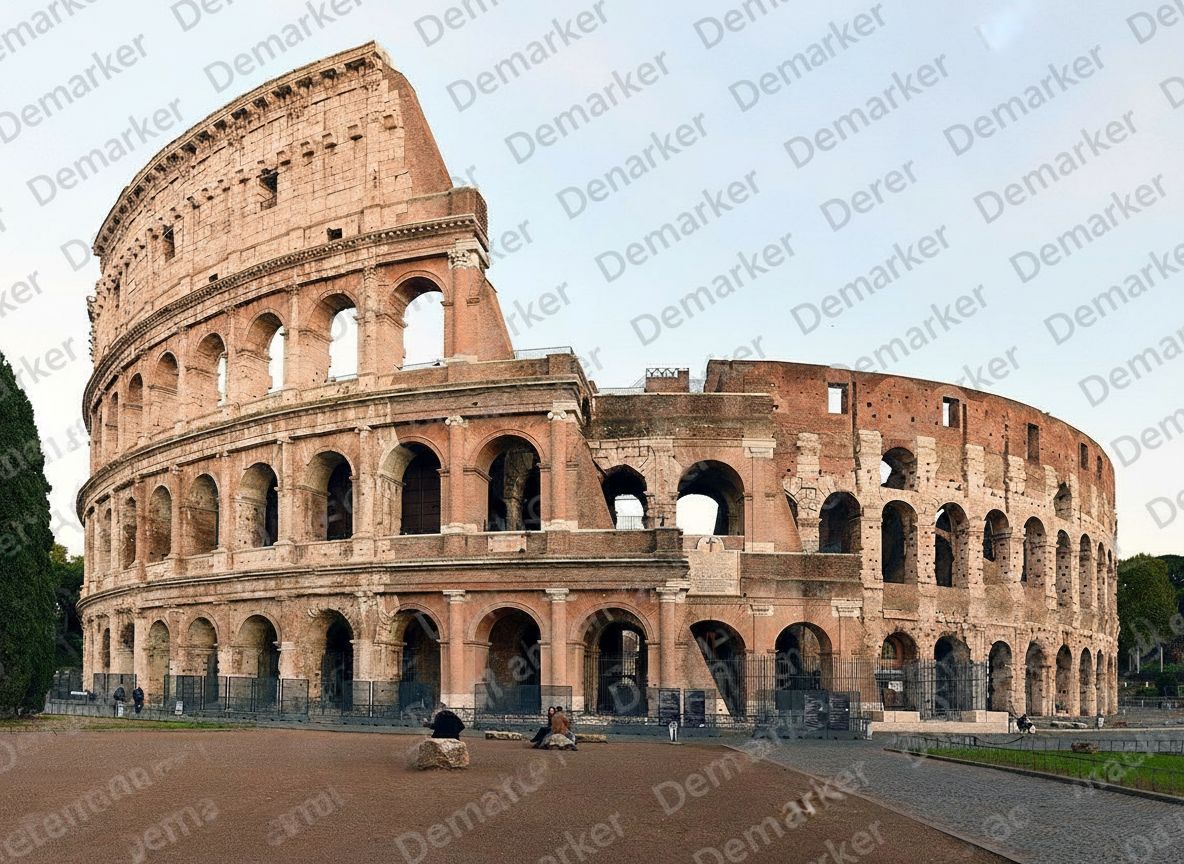
AI Watermark Remover

A clean, professional AI Watermark Remover that wipes marks in one click and keeps every pixel looking natural for everyday AI Watermark Remover use.

Upload a photo or video frame and our AI Watermark Remover erases logos, stamps, and text without smudges—no editing skills needed, just publish-ready results powered by a dedicated AI Watermark Remover engine.

No Registration
Free Trial
Original image
Original
Enhanced image
AI Enhanced
Loading...
Drag the slider to compare before and after

How It Works

Remove Watermarks in 3 Simple Steps

The workflow is straightforward: upload your image, let the AI Watermark Remover clean the marked area, and download a result that is ready to reuse.

01

Upload Your Image

Add a JPG, PNG, or WebP file from desktop or mobile and start with the original image quality intact.

02

Let AI Remove the Mark

Our AI Watermark Remover model detects logos, text overlays, and common watermarks, then rebuilds textures and lighting around the cleaned area.

03

Review and Download

Check the before-and-after result, confirm the AI Watermark Remover cleanup looks natural, and download the finished file for your next use.

Powerful AI Watermark Remover in Seconds

Fast AI Watermark Remover for watermarks, dates, and logos with natural texture rebuilds and dependable AI Watermark Remover output

Smart Watermark Detection

Finds text, logos, and stamps automatically—even on busy backgrounds—so the AI Watermark Remover can work without manual masking.

Seamless Texture Fill

Rebuilds textures and lighting where marks were for a clean, natural finish.

Batch Removal

Process multiple images at once and keep every shot consistent and watermark-free.

High-Resolution Ready

Export crisp, ready-to-publish files from the AI Watermark Remover without artifacts, so detail stays intact.

Try the AI Watermark Remover

Upload an image and let the AI Watermark Remover erase watermarks, logos, and text while rebuilding clean details automatically. See a natural before-and-after without manual retouching.

Guest Credits

0

đź’ˇ Guest Mode includes a small monthly allowance based on region,

Upload Image

Drag and drop an image here, or click to upload

Supports JPG, PNG, WebP formats

Click to Remove Watermark

Result

Clean results will appear here

Choose Your Plan

Flexible pricing options for different needs

Starter
$95.90/year
Billed annually (20% off)

For casual creators

  • 400 credits / month
  • Auto-renewal
  • Standard support
  • Fast queue
  • Customized requirements
Most Popular
Pro
$191.90/year
Billed annually (20% off)

Best value for anime lovers

  • 1000 credits / month
  • Auto-renewal
  • Priority support
  • Fast queue
  • Customized requirements
Ultra
$383.90/year
Billed annually (20% off)

Built for power users

  • 3000 credits / month
  • Auto-renewal
  • Dedicated support
  • Fast queue
  • Customized requirements

AI Watermark Removal Showcase

See how our AI cleans watermarks and rebuilds details for publish-ready images

Original image
Original
Enhanced image
AI Enhanced
Loading...
Drag the slider to compare before and after

Clean Logo Removal

Erase brand logos without halos or blur. AI restores edges and textures so your subject stays sharp.


Original image
Original
Enhanced image
AI Enhanced
Loading...
Drag the slider to compare before and after

Date Stamp Cleanup

Remove timestamp overlays on skies, roads, and skin while keeping lighting and grain consistent.


Original image
Original
Enhanced image
AI Enhanced
Loading...
Drag the slider to compare before and after

Text & Watermark Erase

Strip watermarks from product shots and social posts, keeping gradients, shadows, and reflections intact.

All showcase work is generated by our AI watermark remover, demonstrating natural, publish-ready results.

Discover More Image Cleanup Tools

Explore other Demarker pages built alongside AI Watermark Remover for watermark removal, text cleanup, and fast image polishing across different production needs.

  • Remove Watermark from Photo

    A focused landing page for photo cleanup when you need to remove watermark from photo collections such as portraits, travel shots, product photos, and social visuals.

    Open Photo Watermark Remover
  • Remove Watermark from Image

    Best for general image cleanup workflows where you want to erase watermarks from graphics, product assets, screenshots, or digital creatives.

    Open Image Watermark Remover
  • Remove Logo from Photo

    Built for photo-first logo cleanup when you need to erase supplier badges, corner marks, or branded overlays while keeping lighting and texture believable.

    Open Photo Logo Remover
  • Remove Logo from Image

    Built for brand-mark cleanup when you need to erase corner logos, app badges, or graphic overlays while keeping the background believable.

    Open Logo Remover
  • Remove Text from Photo

    Built for photo-first cleanup when you need to erase captions, date stamps, labels, or other text overlays while keeping lighting and texture believable.

    Open Photo Text Remover
  • Remove Text from Image

    Built for text-specific cleanup when you need to erase captions, labels, subtitles, or date stamps while keeping the background believable.

    Open Text Remover

Frequently Asked Questions

Answers to common questions about using the AI Watermark Remover

Can I try the AI Watermark Remover for free?

Yes. New users get free credits to test how the AI Watermark Remover cleans watermarks, date stamps, and logos with natural results before upgrading to a paid plan. It’s the fastest way to see the AI Watermark Remover in action.

How does the AI remove watermarks?

The AI Watermark Remover detects the marked region, then uses texture-aware inpainting to rebuild the background so the cleaned area matches surrounding light, grain, and color. Each AI Watermark Remover pass focuses on keeping subjects untouched.

Is my photo data secure?

Yes. Uploads processed by the AI Watermark Remover are secure. We don’t permanently store your images, and we never share your files or results with third parties or advertisers. The AI Watermark Remover runs on encrypted connections end to end.

What image formats do you support?

The AI Watermark Remover supports JPG, JPEG, PNG, and WEBP up to 10MB per image for fast, accurate processing on both desktop and mobile uploads. Larger files may slow the AI Watermark Remover, so we recommend staying within the limit.

Can I use the watermark-free images commercially?

Yes. You keep full rights to images cleaned by the AI Watermark Remover and can use them in commercial projects, marketing campaigns, or client deliverables without extra licensing. The AI Watermark Remover doesn’t claim ownership of your content.

What if the result isn’t perfect?

Try a higher-resolution source, a tighter crop, or rerun the AI Watermark Remover with a clearer prompt. If artifacts remain, contact support and we’ll help refine the cleanup with another AI Watermark Remover pass.

How long does removal take?

Most AI Watermark Remover jobs finish in 30 seconds to 2 minutes, depending on image size and background complexity. Batch jobs may take longer but run automatically through the AI Watermark Remover queue.

What kinds of marks can you remove?

The AI Watermark Remover handles text overlays, logos, date stamps, watermarks, and light stickers. For heavier obstructions, the AI minimizes artifacts while restoring the scene, and you can rerun the AI Watermark Remover for finer cleanup.